Connecting Data Sources
Once you've added a podcast to the Bumper Dashboard, you'll be able to import its data from Apple Podcasts, Spotify, YouTube and your hosting provider. The Dashboard will walk you through this process, but if you don't complete it right away you can always return to it by following these steps:
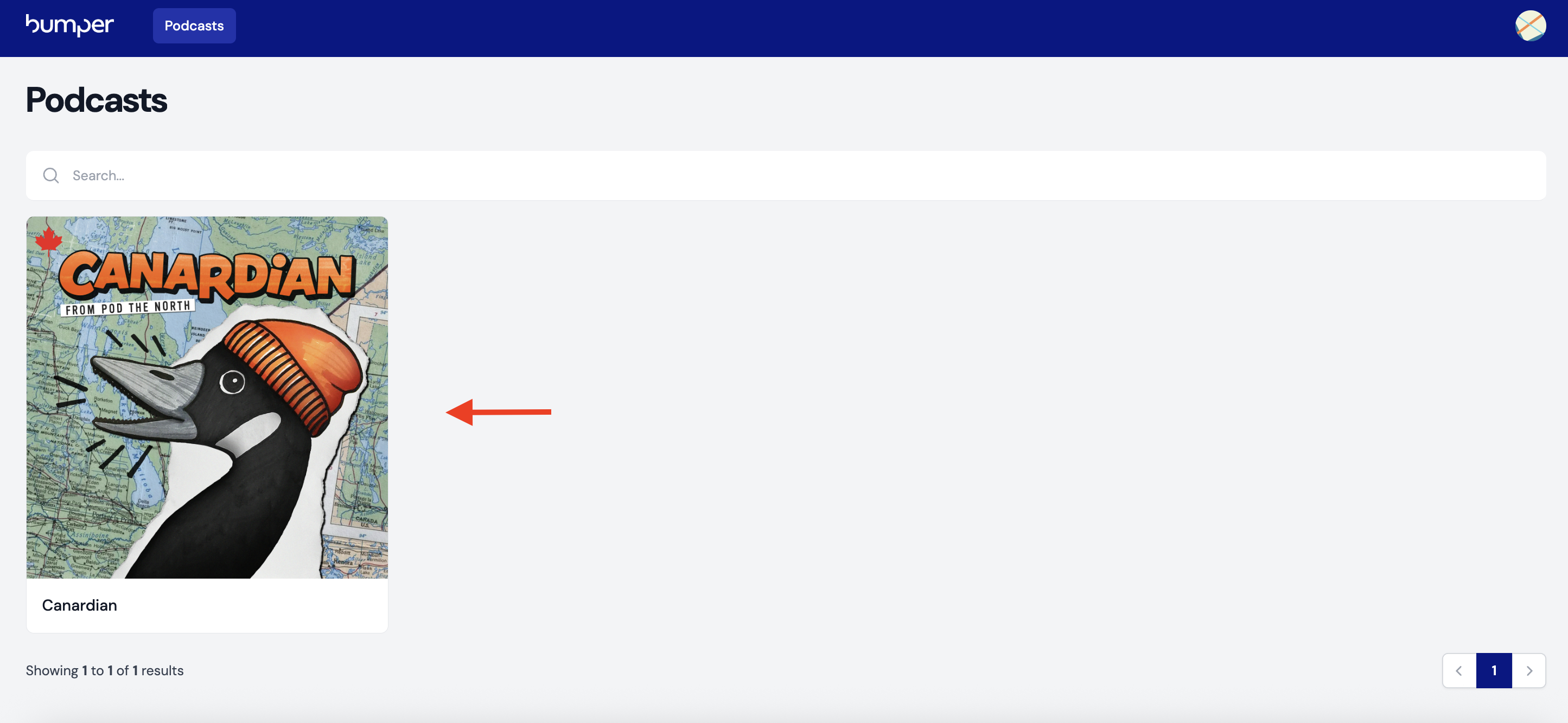
Step 1: Navigate to "Podcasts" and click on the show you want to connect.
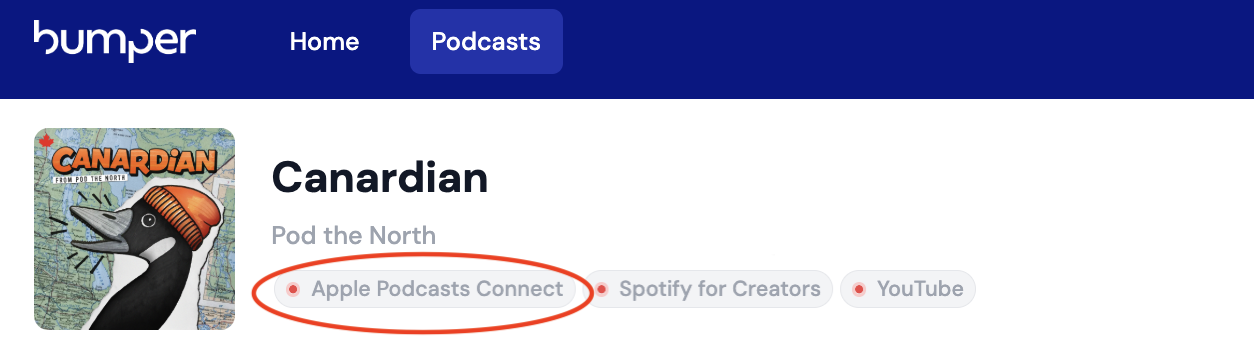
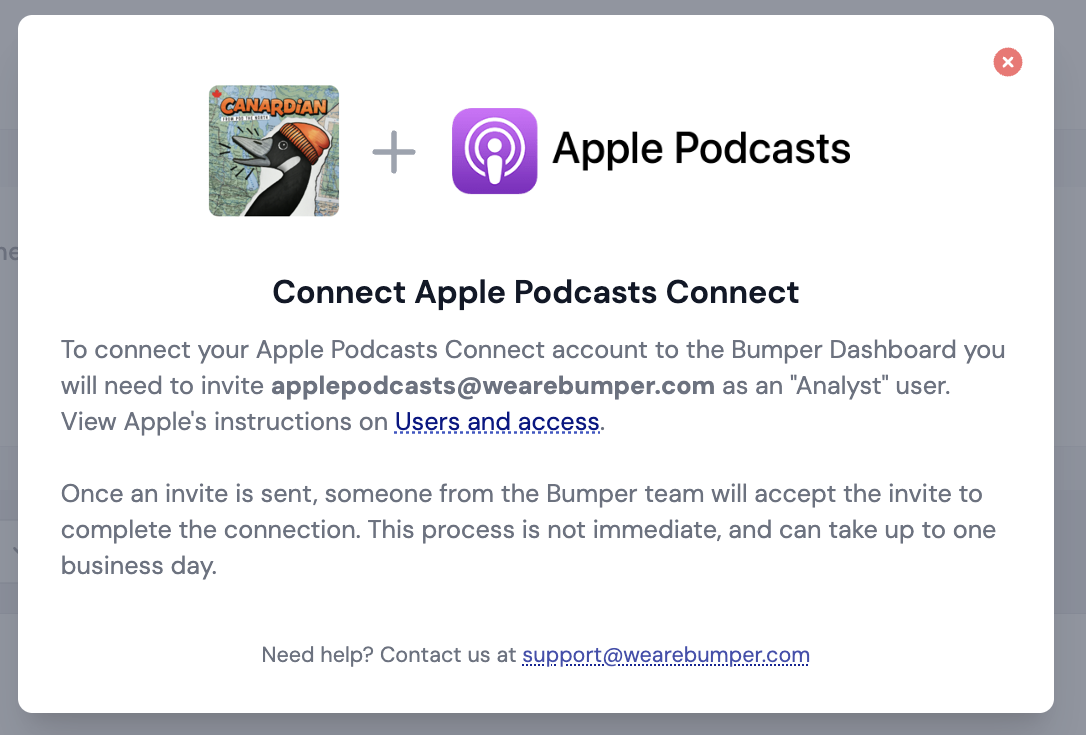
Step 2: At the top of your show's Dashboard page, you'll see buttons for Apple Podcasts, Spotify, and YouTube, as well as your podcast's hosting provider. Each will have a red indicator light indicating that it has not yet been connected. To connect a platform, simply click on the corresponding button and follow the instructions provided. See the example for Apple Podcasts below:
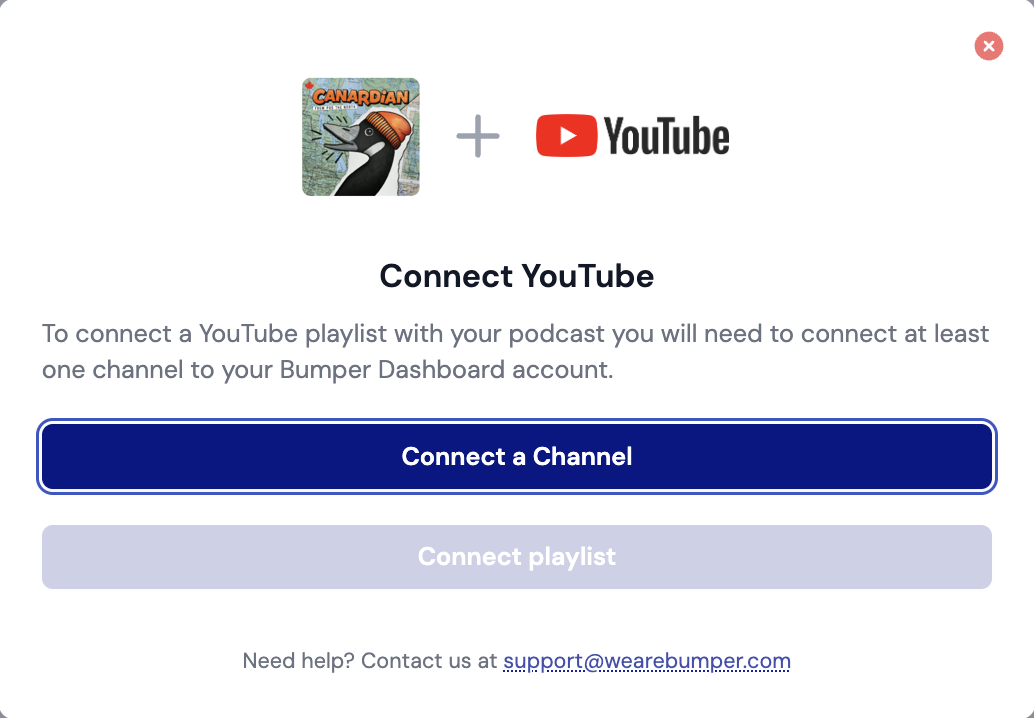
For YouTube, you'll be prompted to connect a channel. In order to connect, the person who's logged into the Bumper Dashboard also needs to be the 'Channel Owner' of the YouTube channel. Once the YouTube channel is connected, click "Connect playlist" and select your podcast playlist from the drop-down menu.
Step 3: When you've successfully connected to a platform, the red indicator light will turn yellow. Note that this may take up to one business day, as someone from the Bumper team needs to accept your invitation.
Once data is being pulled into the dashboard, the yellow indicator light will turn green. It can take up to 24 hours for your data to be fully imported into the Bumper Dashboard.
Once these services are connected to the Bumper Dashboard, all data will be pulled in automatically at least once a day. You don't need to take any further action.

What services do you support?
The Bumper Dashboard can import data from many sources, including:
Podcast listening platforms
These are primary sources for podcast consumption data.
While Apple Podcasts, Spotify, and YouTube do not represent the totality of podcast consumption, research suggests they represent the majority.
Data from Edison Research (PDF) says Apple, Spotify, and YouTube collectively represent the most commonly-used services among 73% of weekly podcast consumers in America. Data from the Canadian Podcast Listener survey (PDF) suggests these three are the most commonly-used services among 78% of monthly podcast listeners in Canada.
Podcast hosting providers
- Acast
- Art19
- Buzzsprout
- Captivate
- CoHost
- Dovetail from PRX
- Megaphone by Spotify
- Nox
- Omny Studio
- Simplecast by Adswizz
- Transistor
Hosting providers typically supply download-based measurement. The Bumper Dashboard focuses on consumption, not downloads, so you can still get a lot of value from the Bumper Dashboard even if your hosting provider isn't supported at this time.
Passthrough analytics providers
Passthrough analytics providers typically supply download-based measurement. You don't need one to get value from the Bumper Dashboard, but it can be a useful secondary data source to supplement data from your hosting provider.
Can the Bumper Dashboard import data from other listening apps (in addition to Apple Podcasts, Spotify and YouTube)?
At this time, the Bumper Dashboard is not compatible with other listening platforms.
I recently switched hosting providers. Can I see download data from my current as well as previous hosting provider?
Yes, you can connect multiple hosting providers to your podcast in the Bumper Dashboard. To connect additional hosting providers to your show, please contact support@wearebumper.com.
How long will it take from my data to show up in the Bumper dashboard?
If the indicator light next to a platform is green, the Dashboard is pulling in data and should fully populate within 24 hours.
Often data will show up sooner, but it might be incomplete before 24 hours have passed.
The Bumper Dashboard refreshes every 2 hours, but keep in mind that this doesn't necessarily mean there will always be new data available from providers. Typically we see Spotify and Apple analytics delayed by a few days, so if you're looking for analytics on a brand new episode, it's best to wait a couple days before you check on its performance.
What email address do I use to invite Bumper to Apple/Spotify/YouTube/my hosting provider?
You can always access the instructions for connecting a platform to the Bumper Dashboard, including what email address to invite, by clicking on the platform buttons at the top of your podcast's Dashboard page.
Why can't I connect YouTube to the Bumper Dashboard?
In YouTube's system, a podcast is simply a YouTube playlist that has been marked as a podcast. A YouTube channel can own one or more podcast playlists. For example, the BBC News YouTube channel contains multiple podcast playlists.
Every YouTube channel has a channel owner. To connect a YouTube podcast playlist to the Bumper Dashboard, the channel's owner must grant Bumper access to YouTube's Analytics API.
Analytics access can only be granted by the channel owner. Other user roles (manager, editor, etc.) cannot grant Bumper this access. This is a known limitation of YouTube's permission system.
Confirm channel ownership
If you're having trouble connecting a YouTube podcast playlist to the Bumper Dashboard, first confirm the identify of the channel owner. To do this:
- Log into YouTube Studio for the YouTube channel you're trying to connect
- Click Settings ( icon, lower left)
- Click Permissions
- Identify the YouTube/Google account listed as the channel's "Owner"
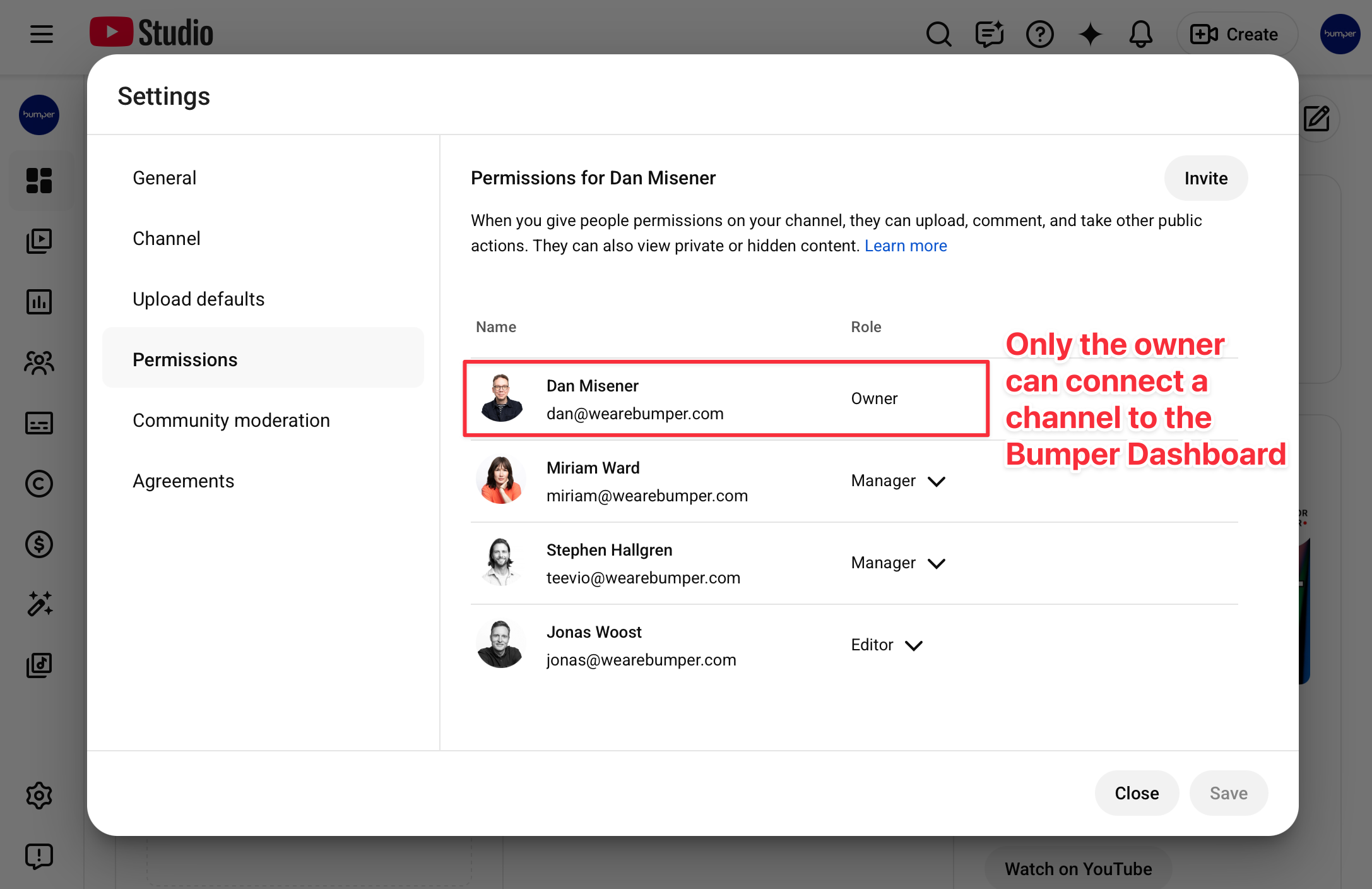
If you cannot see the channel's permissions, you are not the channel owner.
If you can see the channel's permissions and your Google/YouTube account is not listed as the channel owner, you are not the channel owner. Only the channel owner can grant Bumper access via YouTube's Analytics API.
For assistance connecting a YouTube channel, contact support@wearebumper.com, and include a screenshot of the channel's permissions.
Note: the process for identifying the channel owner may be different for channels managed within YouTube Brand Accounts.
How do I add additional podcasts to my Bumper Dashboard?
If your plan allows you to add additional shows, you can do so by contacting support@wearebumper.com
I'm on a free trial of the Bumper Dashboard. Can I add more than one show?
Your free trial of the Bumper Dashboard allows you to add one show only.