Troubleshooting YouTube access
In YouTube's system, a podcast is simply a YouTube playlist that has been marked as a podcast. A YouTube channel can own one or more podcast playlists. For example, the BBC News YouTube channel contains multiple podcast playlists.
Every YouTube channel has a channel owner. To connect a YouTube podcast playlist to the Bumper Dashboard, the channel's owner must grant Bumper access to YouTube's Analytics API.
Analytics access can only be granted by the channel owner. Other user roles (manager, editor, etc.) cannot grant Bumper this access. This is a known limitation of YouTube's permission system.
Confirm channel ownership
If you're having trouble connecting a YouTube podcast playlist to the Bumper Dashboard, first confirm the identify of the channel owner. To do this:
- Log into YouTube Studio for the YouTube channel you're trying to connect
- Click Settings ( icon, lower left)
- Click Permissions
- Identify the YouTube/Google account listed as the channel's "Owner"
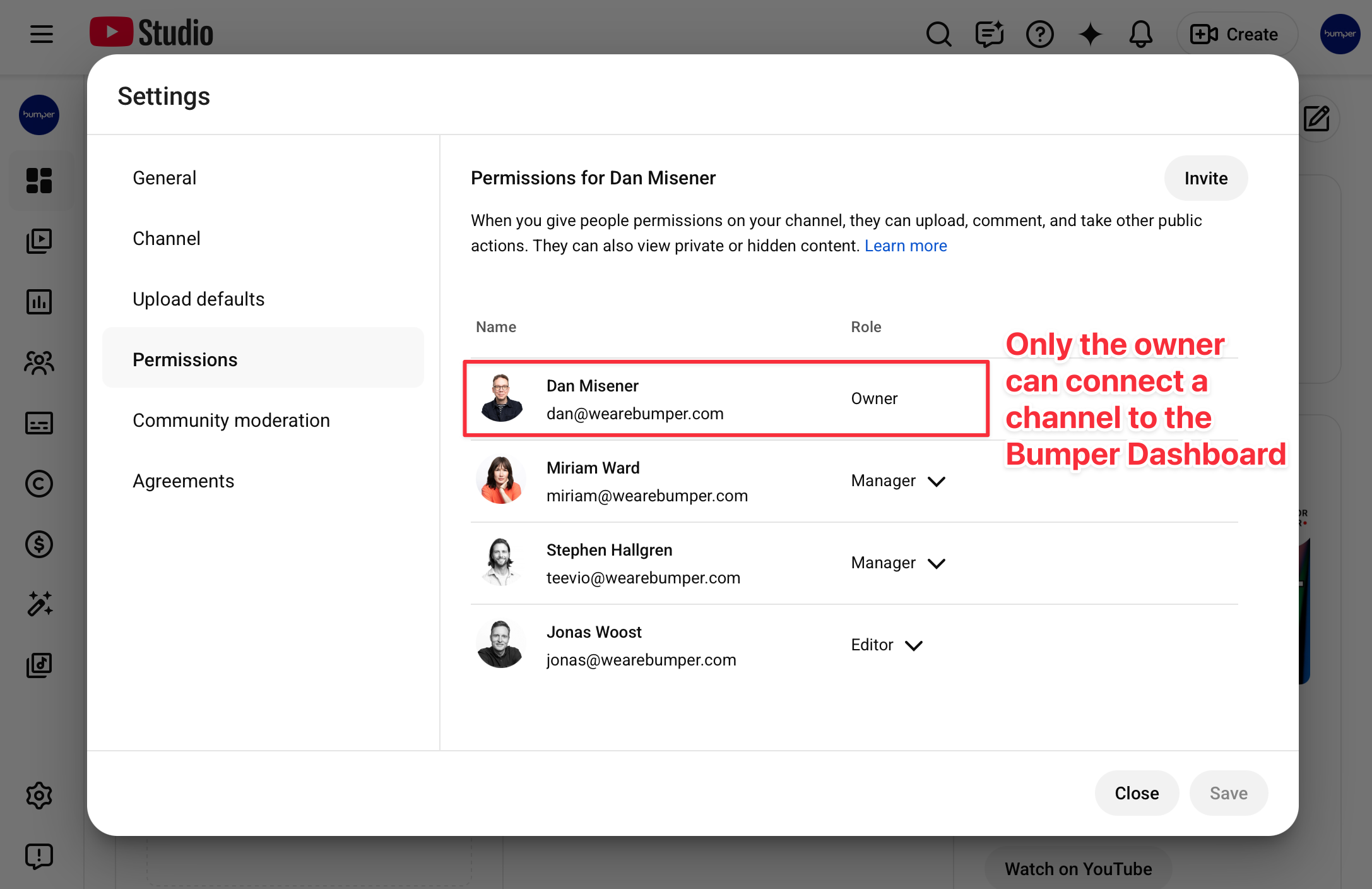
If you cannot see the channel's permissions, you are not the channel owner.
If you can see the channel's permissions and your Google/YouTube account is not listed as the channel owner, you are not the channel owner. Only the channel owner can grant Bumper access via YouTube's Analytics API.
For assistance connecting a YouTube channel, contact support@wearebumper.com, and include a screenshot of the channel's permissions.
Note: the process for identifying the channel owner may be different for channels managed within YouTube Brand Accounts.